Don’t Let The Digital Camera Companies Trick You!

by Vincent Manga

Are you thinking of buying a digital camera? Maybe your old camera has stopped working or maybe you just want to get a better model, it really doesn’t matter, what’s important is that you understand what you are buying, so you can get the best possible camera for yourself at the best possible price. Below I will give you a list of the most important things you need to know and look out for before you buy your digital camera.

1. megapixels:

With the exception of the high-end professional digital cameras of 12 plus megapixels, the number of megapixels a digital camera is capable of generally speaking is the most important quality factor when it comes to how good your digital photos will come out. In the case of the high-end digital cameras the lenses themselves will also play a very important part.

Now in regard to the number of megapixels, there is one thing you really do need to look out for. It is vitally important that you read the small print as it were on the digital camera. You see many digital camera manufacturers will have you believe there camera is capable of a higher number of megapixels then it really is.

Here’s what I mean, it is normal for digital cameras to have the number of megapixels they are capable of printed on them in big print, however quite often you will also find printed in relatively small print underneath the big print something like, five megapixels software enhanced to six megapixels. This will never be the same as a true six megapixel camera and will not be capable of the same quality as a true six megapixel camera would.

How much zoom do you need?

You’re going to have to decide just how much zoom your camera will need, for this think about the type of photography you want to take with the camera, if a lot of long-distance photos are going to be taken, obviously more zoom will be very useful.

Most digital cameras come with two different types of zoom, digital zoom and optical zoom. With digital zoom the more you zoom in, the more the total number of pixels in the image will decrease resulting in a considerable loss of quality. With optical zoom the number of pixels in the image stays the same because the camera will make use of its lenses to make the area you are focusing on bigger thus not losing quality.

Many digital cameras here too can be misleading since they will often state the maximum digital zoom in big letters on the camera without actually stating that it is in fact digital zoom, they will of course tell you that it is digital zoom so as to cover themselves legally but again only with very small print nearby.

In my opinion digital zoom is about as useful as mud, I’d much rather not use digital zoom and instead digitally enlarged the picture at home on my PC. This way I would be able to see exactly how much picture quality I would be losing and I would still have the original picture at full quality.

The powersupply for your digital camera:

The powersupply is something greatly ignored when people buy digital cameras. People just don’t consider it, yet when you think about it having a reliable power source for your digital camera is vital to make sure you don’t ever run out of power right when you need your digital camera most.

AA and AAA batteries are the most common method used to power the lower end digital cameras. In many ways having this kind can be a good thing in that these batteries are cheap and easily replaceable at anytime.

Specially made lithium battery packs are normally used in the higher end digital cameras. Because of the fact these battery packs are specifically made for the cameras in question they are also normally considerably more expensive.

These batteries normally last longer than normal batteries, but you will still want to have at least one spare battery Pack. Because of the price of these batteries you will need to take them into account when you’re purchasing your digital camera.

It’s not very normal but some digital cameras do exist that can take normal AA and AAA batteries as well as batteries specifically made for it.

When you take it upon yourself to purchase your next digital camera, remember to look out for the things mentioned in this article. Also once you have narrowed your search down, look at online reviews to compare each camera side-by-side.

This is especially important if you are buying a high-end digital camera, since as I have mentioned there are other factors such as the digital cameras lenses that will affect the quality of the pictures the digital camera takes.

About the Author:
[?]
Share This

A Look at High Fashion Photography

by Gugu Maseko

As digital cameras become more sophisticated, on the other end it is making taking photos easier. Very few areas of our life haven’t felt the effects that digital photography has had during recent years.

One area where it has made a big improvement is in the area of digital fashion photography. When you speak about digital fashion photography you immediately think of the girls on the catwalk but there are many other areas of fashion photography that have benefited fro this new technology.

Fancy designs and unusual concepts are captured in a way not possible with standard film cameras. Capturing the most up-to-date look is imperative and digital cameras are able to do this with ease. This is a prestigious field and the digital fashion photographers are every bit as famous as the models or dress designers they represent.

If you believe digital fashion photography is going to be your vocation then there are some important steps needed to become successful. Any photographer worth anything will never be seen without at least one camera with them as they know that if they don’t, then someone else will be there to capture the shot that they missed.

Good digital fashion photographers know what it is they want to achieve and find a way by experimentation, on how to achieve the desired result. Remember that your subject is in your hands so use as many different lighting, background and contrast techniques as you need. A picture not only has a pleasing effect for others, it also shows the way it was created to those who know what to look for.

There are a few other points to seriously consider if you want to be a busy digital Fashion Photographer. Most shots are taken using a tripod set at an angle away from the subject with background curtains and reflectors to help enhance the image. Polarizing filers can be useful if there is bright lighting as the glare can be reduced and further lighting and contrast problems may be cured with different backdrops or curtains.

Is the important aspect of digital fashion photography which can be easily achieved by have plain backgrounds of white or grey. As a professional photographer, your audience may not see what you see in the picture, it is only when they see the end result that they will realize exactly what you saw. A final tip would be that whilst many people do not really study the background as their attention is rightly focused on the image, the two can easily be connected even if it is not at first apparent.

About the Author:
[?]
Share This

How to Compose a Photograph

by SFXsource

Composition is what makes a photograph interesting, and it also keeps your viewer engaged. In order to improve your composition, just follow these tips. If you are just starting out with photography, it may take you a while to develop an “eye” for composition, but don’t worry because you will improve.

1. When you are photographing your subject, always keep composition in mind. Do not rely on cropping them afterward. While it is okay to crop your photos, you do not want to be spending time cropping every single one in order to get an interesting photograph.

2. Subject placement is the first thing to consider. Rarely do you want to place your subject in the middle of the frame. Instead, place your subject in a “sweet spot.”

In order to visualize these sweet spots, imagine a blank, rectangular photo. Imagine 2 vertical lines breaking the frame into 3 equal parts. Next, 2 horizontal lines will break the frame into 3 equal parts. These lines will intersect in 4 spots, and these are the sweet spots. These sweet spots are the places to put your subject for a great photo.

3. Use lines or texture to draw the viewer into your photograph. Your viewer is going to be guided around the photo by the lines.

If you have a spiral staircase spiraling inward, the viewer will continue to follow that spiral around. If you have blades of grass and rays of sun, the viewer will most likely follow the blades of grass to the top of the photo, and the rays of sun to the bottom of the photo; they will continue this cycle.

Horizon lines can be placed either above or below the center. Lines from subjects such as trees, ladders, buildings, or railroad tracks can also be used to create strong composition.

About the Author:
[?]
Share This

Cheap Wholesale Digital Cameras

Whatever occasion there is, you always desire to have every single moment captured. That’s being possible when you have a camera on hand. With the increasing growth of demand in cameras, cellular phones and computer, the makers and distributors of cheap wholesale digital cameras are putting for the most sophisticated yet low-priced models the photo and video takers can take advantage of. The market is offering a wider array of cheap wholesale digital cameras: point and shoot cameras, binocular cameras, waterproof and shockproof cameras, digital cameras, optical zoom cameras and mega pixel DSLR-style cameras. Mostly are tagged at lower price online than how it is pegged in malls and photography studios. There are cameras that can be utilized as PC cameras and interestingly, they can capture at 960 x 240 pixels.The cheap wholesale digital cameras online include super widescreen 5M pixels digital camera with three-inch LTPS screen,  professional 6 megapixel digital cam, video-and-voice recording capable digital cam, quality beginner’s digital cam, etc. Some are even offering those models that features any or a combination of the following: 7m Pixel zoom, 5 M Pixel CMOS sensor, AVI formatted, MP3 player integrated with 3.6 inch screens, built-in 32 MB flash, CCD imaging sensor, maximum still image resolution, Swivel lens, 180-degree rotating lens, among other sophisticated attributes. The world credits the digital revolution for having the entry of cheap wholesale digital cameras. Some offers online are as amazing as buying at half the cost but still maintain profitable margins. The days are long gone for you to pay photos that you might just ignore in the long run. If you’re in search for cheap wholesale digital cameras, you can pick one in any of the online-accessible wholesalers and distributors. You have to make sure, however, that you don’t suffer performance for the low price you get to enjoy. A deal is good as great when it is of high quality but not pricey. First, you have to classify which particular models you like, and then you can spot the differences on their features and prices. After which, you can zero your options to three and finally pick only best you think it is. The beauty of digital outputs is lovable, lasting and viewable anytime without having to print them. You have the option to print as many though, if you only want. But bottom line is that digital cameras allow everyone to shoot and preview quickly, store them on the PC and back them up with a CD or DVD filing. Cheap wholesale digital cameras vary in price and quality, so you must be smart in picking one that gives value more than you expected. With only a budget ranging from 30 to 200 dollars, you can surely spot what is meant for you.

[?]
Share This

Point and Shoot Camera Review

With just a mere click, a camera could capture great moments anybody would like to cherish forever. The Point and Shoot Camera Review says the photography world has embraced the digital essence of taking photos to cope with the fast-evolving technology and advent of Internet.Point and Shoot Camera Review shares that camera brands such as Olympus, Kodak, GE, Fuji, Canon, Sony, Nikon, Samsung, Casio, Panasonic and Pentax all offer digital point and shoot cameras the market is variably seeking for. Among the latest of shooters are much hipper, much loaded with great features and even more high-tech. More wide lenses are designed along with the latest models. Majority of them are integrated with sophisticated movie recording capacity plus image enhancements such as red-eye elimination and face & smile detection so that great photos are shot automatically. Super compact cameras that differ in colors and flexible ultra-zoom units that contain a DSLR give the camera-takers offer a spectacular degree of performance, thus it’s worth every penny for buying such feature-loaded cameras, according to Point and Shoot Camera Review. Such units ranging from 300 to 500 dollars can deliver 10 megapixel shots and 12 times zooming capacities or even 20 times of optical zooming to capture actions super closely.Most 2008 models of digital cameras, as per Point and Shoot Camera Review, are appearing more chic, much handier and electronically edgy. Some have even LCD touch screen and an auto shutter that clicks every time a smile surfaces nearby. High-definition previewing and recording is even possible. Image editing can also be done in-camera, which means without having to transfer it to Adobe program in your desktop.Motion detection and Blur-avoiding optical image stabilization are also integrated in some of the latest digital cameras. Point and Shoot Camera Review declares that scene and color modes are upgraded to do some balancing according to the lighting conditions of the photography venue. Shock proof, water proof and crush proof are some attributes that are quite fascinating among the latest. What’s more is that you have some options to take a full shoot or panoramic type in 29 shooting modes. Point and Shoot Camera Review also says that one can distinguish the amount of zoom necessary by previewing via optical zoom which adjusts the lens accordingly. As to how much optical zoom is needed, it will depend on what your intended subject is. Most point and shoot digital cameras are designed with three times optical zoom which is way beyond the usual ones utilized for snap shooting. But if you want much closer than 3x, you can pick the 4x or even more than it. Certainly, technology is continuously upgrading and cameras in the market are getting more high-tech along the way.

[?]
Share This

Matte or Glossy Digital Photo Printing

by Dan Feildman

When printing digital photos you have a choice between matte and glossy photo prints. Glossy photo prints have a shiny finish while matte ones have a more subtle neutral one. So which one should you choose? There is no right answer - there are pros and cons to both.

Again matte and glossy simply refer to the finish to the photo paper digital photos are printed on. To achieve the finishes, different chemicals and processes are used when printing. Matte finishes do not reflect the viewing light and appear darker and less bright than their glossy counterpart. Glossy photos appear shiny, reflect viewing light and are more vibrant and colorful.

To determine which you should use, here are some pros and cons to both finishes.

Glossy photo prints: With their shiny finish, glossy prints draw the eye. They seem to be fancy and have a high quality feel to them with their bright colors. The colors are also deep and rich in glossy prints. But the same features that can attract can also be a disadvantage. The shiny veneer on a glossy print can act as a reflector making viewing difficult when under an intense light source such as an extremely high wattage bulb or in sunlight. Glossy paper seems to attract more dust and gather more fingerprints when people handling photos. Black and white prints work much better in a matte finish than in black and white.

Matte finish: Matte photo prints do not reflect light and are therefore easier to view in almost any light condition. Matte photo prints are also less likely to attract dust and fingerprints and are less likely to get dirty over time. Black and white matte photo prints look better than black and white glossy photo prints. Drawbacks of matte photo prints are that they do not have the fancy high quality look that glossy photo prints have. Colors in matte photo prints are less animated and less rich than on glossy photo prints.

So how should you decide on the matte or glossy finish? The choice is up to you and what you are going to do with your prints. The basic rule of thumb is glossy for color prints and matte for black and white. If a lot of people will be handling your prints when viewing, opt for the matte finish to preserve the cleanliness of your prints unless you are willing to spend some of your time cleaning glossy ones. Another thing to consider is where your photo will be. If you are going to enlarge an image to hang on your wall for example, choose a matte finish as the glossy might reflect too much light and create a glare.

As with many other choices a matter or glossy choice is a matter of personal preference. To make an educated decision you should have experienced both. If you do not have that experience you can choose a few photos some color and some black and white and print them both on matte and on glossy paper and in different sizes. Look at the prints and see what you like and what you do not like about them. In the future you would be able make better choices by applying that experience.

About the Author:
[?]
Share This

Editing Digital Photos

by David Peters

The final image that you see when viewing a digital photo today is most likely not quite the same as the image that was transferred from the camera to the computerit is better. A not-so-perfect picture can be taken to an almost professional level thanks to digital editing and enhancing. One such enhancement commonly used is the helpful sharpness enhancement. Adjusting the sharpness will improve the quality on a fuzzy or blurry picture.

While almost every editor has a sharpness adjustment, most of them are not top notch in their results. The best ones incorporate internal algorithms to help enhance the photo. A blurry photos or one with fuzzy borders and lines can be greatly improved upon.

The resizing of a photograph is another commonly used tool today. Re-sampling is similar to resizing but is not as familiar to many. Let’s take a look at the difference between the two. Resizing changes the pixels while re-sampling uses an actual algorithm to adjust the picture to appear to not be blurry, fuzzy or blocked. Some of the pixels will be doubled when using resizing to enlarge a picture.

While with resizing, reducing an image some of the pixels will be thrown out; this why some lines of the photo just disappear. Re-sampling on the contrary, uses algorithms to decide the new size of the pixels, during an enlargement color will be added as a result of interpolation. While reducing an image the actual pixels will be re-calculated. A good image editor will include multiple algorithms for re-sampling and resizing options.

Another popular question for people is how to convert photo files to get smaller pictures. This process is beneficial if you want to send photos over the internet. You can do this in two ways known as the lossless and lossy formats. Basically, one of these two methods can be used to create a smaller nearly untouched photo. Lossless means that the image appears the same as it was originally only smaller, but only to a certain degree. The drawback is that the final image may still be too big but it is completely unchanged. The most common form it is saved in is .png.

Lossy formats will actually lose some information. The advantage to this method is you will be able to chose the size you want it to end up in. The common form it is saved in is a .jpg. This will create small photos that will upload places quite easily. You will have to decide what will work best for you. Do you want a smaller original or do you mind sacrificing some of the photograph in order to make it as small as you want.

Along with the importance of editing photos comes the importance of viewing your images. In order to easily access your photos your photo viewer should be able to be customized, easy to use, have printable contact sheets, photo enhancement tools, convenient for getting the pictures, be able to manage EXIF data and be able to batch process images.

Another good photo viewer is Photophilia which is exceptionally adjustable and able to batch process. Choose a photo viewer that you are comfortable with based on your computer skills. You can opt for a viewer that is quick and simple or go for a more complicated viewer that comes with some more functions. Handy functions to look for are slide show, batch processor, editor functions and zoom factor.

About the Author:
[?]
Share This

How To Assess Like A Pro The Best Digital Photography Software!

by Vincent Manga

Digital photography has revolutionised the way we take photographs. In particular the fact that we can now easily digitally edit photographs from the comfort of our own homes on our PCs. Digital photography software is now at the reach of all amateur photographers, not just the professionals like it once was.

Since digital photography has become mainstream, the number of digital photography editing software programmes from different software manufacturers on the market has become very numerous, catering for all the different needs and wants of society. For this reason deciding which digital photography software to purchase can be a hard decision.

You need to ask yourself what exactly you need in your software. For instance a considerable number of amateurs out there just want something quick and simple to use, they don’t want to spend weeks or months figuring out how to use their software and they don’t want to pay a fortune for it either.

One kind of photography editing software available focuses on providing tools specifically created with the artistically minded photographers in mind. These software programmes are generally not sophisticated enough for most professionals, but there tools can prove very useful to a lot of the more artistically minded amateur photographers out there.

Photography software that covers only the basics

The way things stand right now, basic photography software is the most used in our world today. Generally in these programmes you will have the ability to perform basic edits to your digital photographs like resizing, cropping, redeye removal plus a few printing options and other basic editing tools.

Often some of these basic digital photography editing tools will also give you access to some filtering options as well. Each basic digital photography editing tool program is likely to have some options that are not present in its rival editing programs, but generally speaking they all have the same sort of options.

For the major editing options you can find in both professional and nonprofessional editing software, the real difference between the pro and non pro software packages is the amount of control the user has over the editing process. the basic photography software will try to automate as much as possible these functions, whereas the professional software will give more control to the user, subsequently complicating the use of the software significantly.

Some of the very basic digital photography software available can actually be downloaded free of charge from the Internet. These software programmes are generally very basic, but if you’re just starting out with photograph editing software there may well be a good place to start.

Once you have been using some basic photography software for some time, you will probably begin to get fed up with it’s basic functionality. What you want to do now is take note of what editing tools you wish to have more control over and what editing tools you wish to have that you don’t presently.

Once you have a list of what you want and don’t want in your editing software, you will be able to easily compare different photography software applications to see which one best suits your interests.

It’s also worth adding, that with the more complex software applications you will probably have to put more effort into learning how to use them, especially if you haven’t had all that much experience with other editing applications.

About the Author:
[?]
Share This

Photography Lighting Tips: Light In the Dark

by Fabian Toulouse

One of the greatest challenges for photographers of all kinds has always been lighting. Lighting leaves people second guessing themselves about such issues as over-exposure with a flash or the existence of sufficient available light. Certainly, with digital cameras that allow you to review the images you have shot, the results can be seen immediately, but adjusting problems can still be difficult.

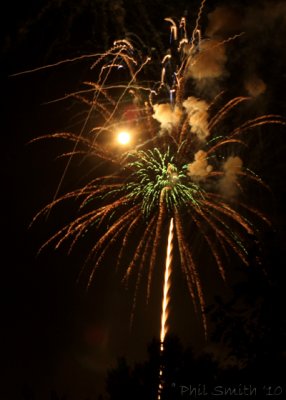
Lighting question can leave you scratching your head. In interior light do you use the flash on your camera and risk glaring light and terrible shadowing or do you purchase a handheld flash with which to experiment? Do you have enough available light to scrap the flash altogether? How do you accomplish a white balance? What about light sources that color the scene unpleasantly? What are the best ways to photograph late night scenes like fireworks or cityscapes?

Photography lighting tips online can answer a wide array of questions for both amateurs and hopeful professionals. Engaging articles carefully explain various processes for taking artistic, creative pictures in all kinds of light settings. There is information not only on lighting questions, but on all sorts of topics such as photographing constantly moving animals, capturing the real essence of your human subjects, and creating appealing compositions.

If you are really interested in becoming a competent photographer, you might want to try taking a course or two online. There are some exceptional programs out there, and you may even be compelled to pursue photography as more than just a nice hobby. After all, all sorts of professions need photographers, from criminal investigation to real estate!

Even if you do not have professional aspirations, learning to be a fine photographer is a worthwhile goal. It affords you the aptitude to create a lovely photographic record of the people and important (or even everyday) events of your life, and it provides a delightful outlet for that little bit of artist in all of us!

About the Author:
[?]
Share This

Editing Software for Digital Photos

by David Peters

The advent of digital cameras has brought about a difference not only in how we take our pictures but also in what we have the ability to do to our photos once taken. Not every person will take a perfect picture every single time, but with digital technology that picture does not have to be wasted. Software is available that can edit your pictures from sitting behind the computer instead of from behind the camera lens.

The following are some types of software to edit your photos.

Kodak EasyShare Freeware. This may be the most well known type of software it is easy to use with people who have just bought a new camera. My wife has this for her new Kodak digital camera.

Infran View - This software not only easy to use, but is also free. This programs allows you to change the tone of the graphics, the way it is taken and the ability to crop as you see fit.

Image Force - Another free editing software program with a variety of features. It also includes a tool letting you transfer pictures from the camera to scanners. Image Force will also modify and enhance your photos.

VCW Photo Editor - This free editing software offers comparable features to modify graphics and enhance features on the photos needing editing.

PhotoFilter - Although this program is simple in its appearance and limited in its features, its strengths are in its user interface and wide selection of image adjustment buttons, effects and filters.

Picture Shark. This free editing program will allow you to write on the photo which you are editing you can actually write on the photo. You can do what every other program can do as well. This is really cool if you want to add something like an autograph look to a picture too.

Picasa - This smart freeware comes from Google with many features. It will save your pictures according to size and how you name them making it simple to find the pictures when you need to edit them. Simply take the pictures saved on your computer and move them into the editing area of Picasa for changes.

Serif Photo Plus - This editing software offers most of the same types of features such being able to crop, enhance the graphics, slice, and much more.

ADG Panorama Version 5.0 - This software allows you to edit your photo from a complete 360 degree angle.

These above are some of the best types of software you can buy and download to edit your photos. So go out there today and download your free software and get to editing those pictures today.

About the Author:
[?]
Share This

Close
E-mail It